Before releasing on Google Play, give Firebase the SHA of your release keys
firebase_authGoogle recognizes the Android app by the SHA-1 and SHA-256 of the key that signs it. The script dart tool/enable_firebase_sign_in.dart registers those of the debug key of your machine, so sign-in with Google works in debug builds. A release build is signed with other keys, and until Firebase knows them, sign-in with Google fails in the release, for example in a test track of Google Play.
You do this once, before the first release on Google Play, and again if you change the keys.
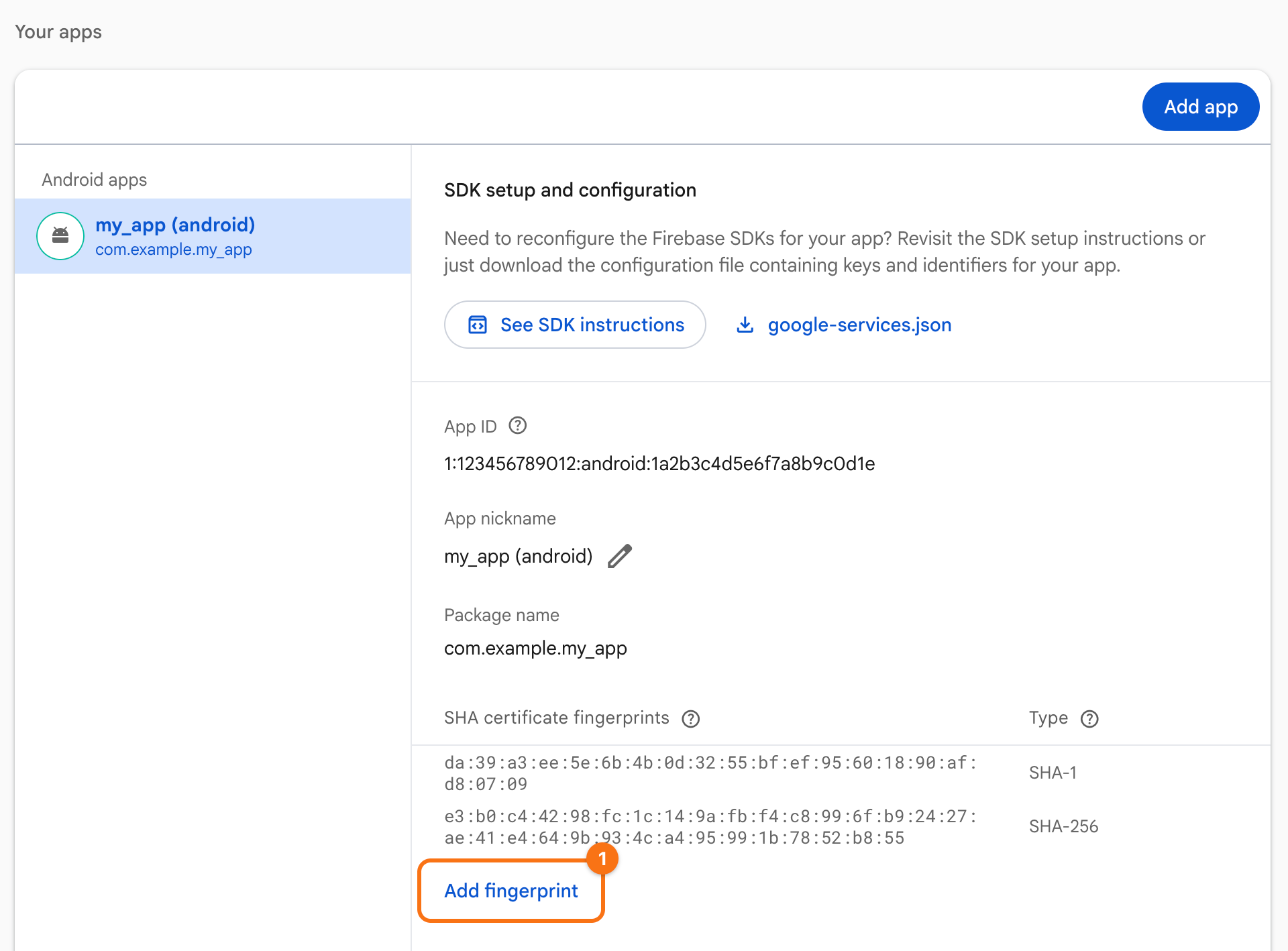
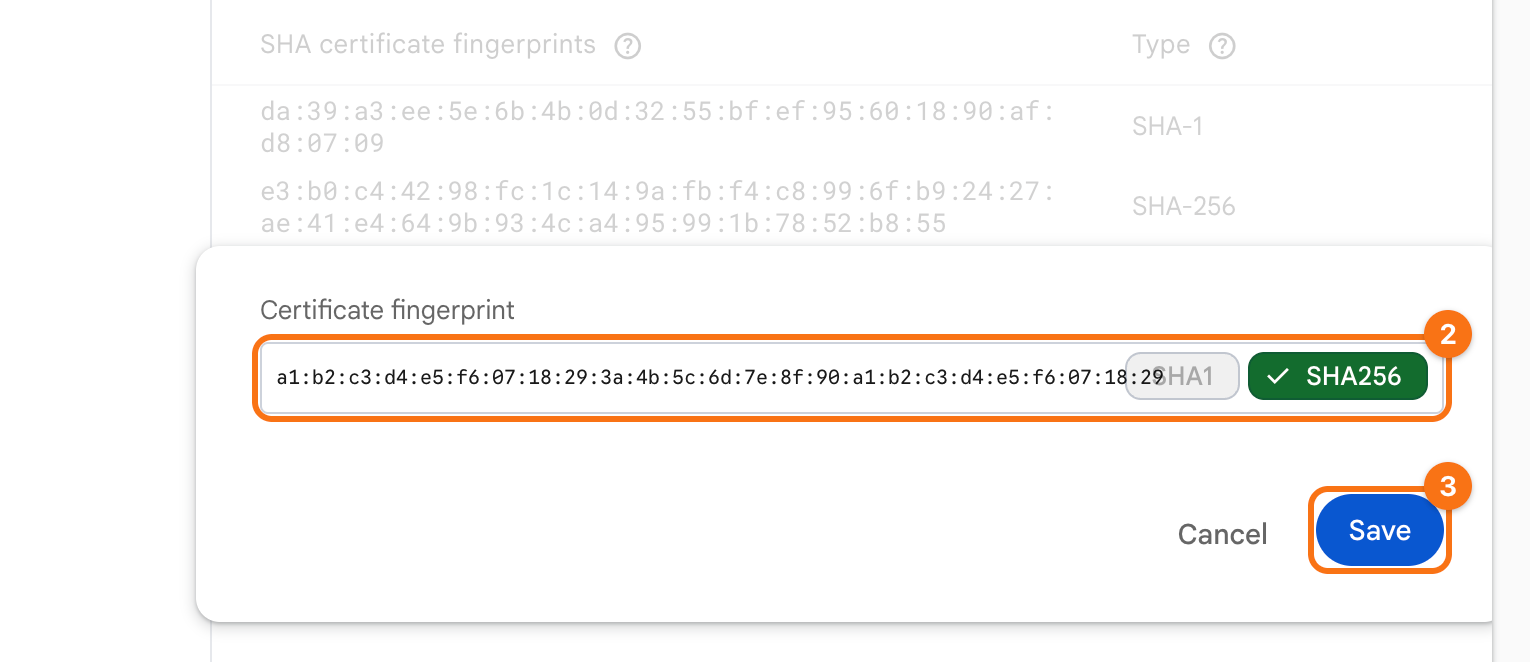
The screenshots show the example package name com.example.my_app and the example Firebase project my-app-12345. The orange frames mark what to click, in the order of their numbers.
1. Find the SHA of the release keys. With Play App Signing, which Google Play uses for every new app, two keys matter:
- The app signing key, with which Google Play signs what it delivers to users.
- The upload key, with which you sign what you upload to Google Play.
Both are in the Play Console: open the app, then Test and release > App integrity, then App signing. Copy the SHA-1 and the SHA-256 of both certificates.
Before the app is in the Play Console, read the upload key from its keystore:
keytool -list -v -keystore upload-keystore.jks -alias upload
2. Add them in Firebase. In the Firebase console, open your project. In the menu on the left, point at Settings and click General. Under Your apps, select the Android app. Under SHA certificate fingerprints, the debug fingerprints that the script registered are listed already. Click Add fingerprint (1).
Paste one of the fingerprints (2) and click Save (3). Firebase tells SHA-1 and SHA-256 apart by their length. Repeat for each of the four.
The Firebase CLI does the same, with the id of the Android app from firebase.json of the app:
firebase apps:android:sha:create <appId> <sha>
Check. Install the release from a test track of Google Play and sign in with Google.