Sign-in
Sign-in in a generated app has two parts, each from a module of its own:
| Part | Module | What it brings |
|---|---|---|
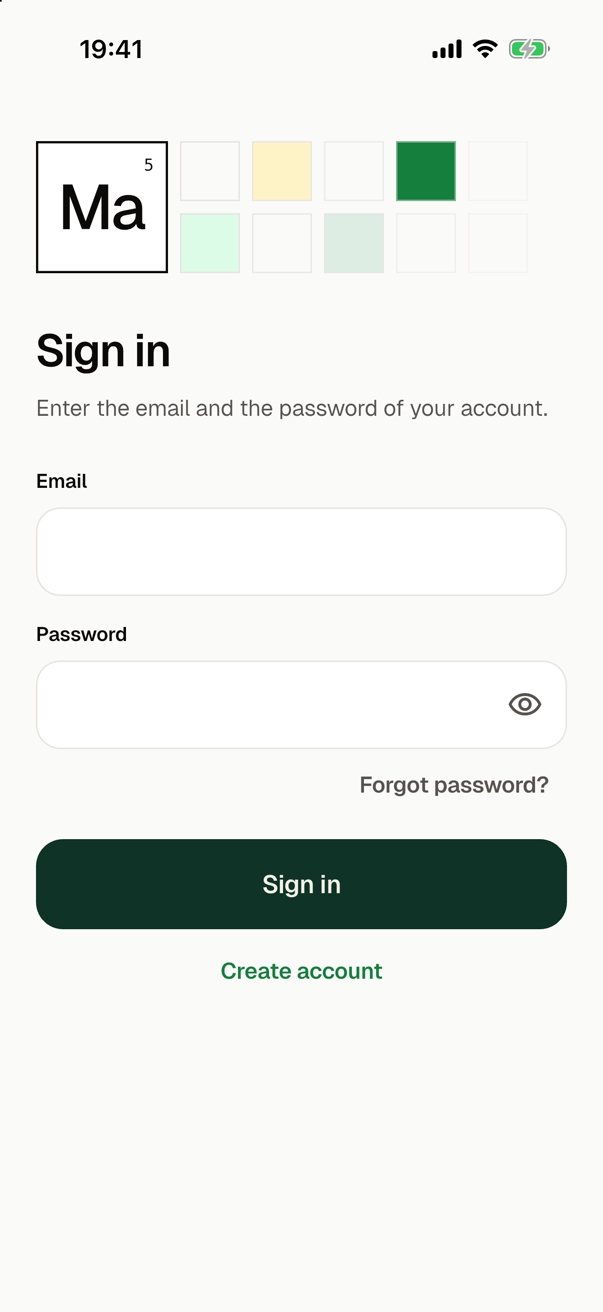
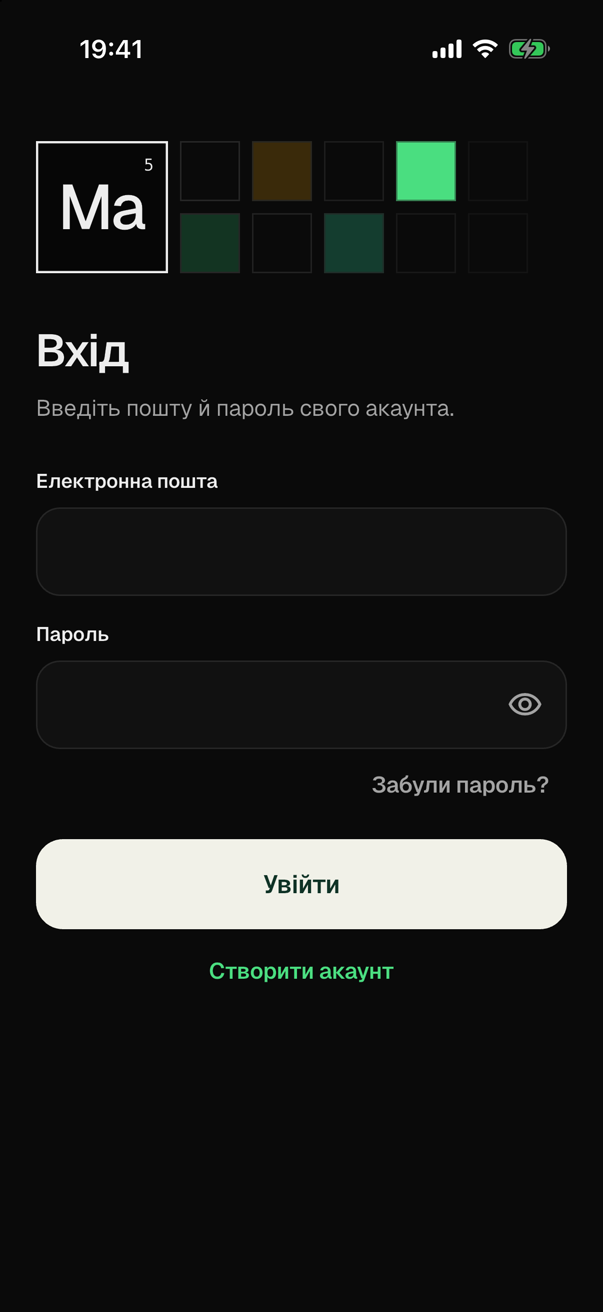
| The screens | sign_in | The sign-in, the sign-up and the password reset for an email address and a password, the screen of the account with its entry on the settings screen, and the two guards of the routes that show them. |
| The session and the accounts | A module that provides the auth role, among the built-in modules firebase_auth | appSession, which knows who uses the app and through which code signs in, up and out, and the service that keeps the accounts, here Firebase Authentication. |
The screens need the session, so sign_in brings firebase_auth with it:
smf create my_app -m home,sign_in,bloc,bottom_tabs
An app can also have the session without the screens, with -m firebase_auth alone. Its screens that sign a user in are then yours to write; see an app without the screens.
| File | From | What it holds |
|---|---|---|
lib/features/sign_in/ | sign_in | The screens, their state and the functions of the guards. |
lib/core/auth/app_session.dart | the auth role | appSession, the session of the app, and authMode, who may use the app without an account. |
lib/core/auth/guest_data.dart | the auth role | takeGuestData(), which you edit: what moves to an account from the anonymous user who signs in to it. |
lib/core/auth/auth_service.dart | the auth role | AuthService, which the module that provides the role implements. The code of the app does not use it. |
lib/core/auth/firebase_auth_service.dart | firebase_auth | The service on Firebase Authentication. |
tool/enable_firebase_sign_in.dart | firebase_auth | The script that enables the sign-in methods in the Firebase project. |
The mode
The mode of the app says who may use it without an account. A run in a terminal asks for it, and --auth-mode answers in advance:
? Who may use the app without an account? (↑↓ to move, enter to choose)
❯ Nobody: the user signs in first
  Everyone: an account only where a screen needs one
  Everyone, as an anonymous user with an id from the start
--auth-mode | Who may use the app without an account | With sign_in, what the user sees |
|---|---|---|
required, the default | Nobody. | The sign-in in place of every screen, until the user is signed in to an account. With an onboarding, the onboarding comes first. |
guest | Everyone. The app has no user until someone signs in. | The app. The sign-in opens over a page when the user asks for a screen that needs an account, such as the screen of the account. |
anonymous | Everyone, as an anonymous user that the app signs in itself when it starts. Code then has the id of a user, appSession.value.uid, before anyone has an account. | The same as in guest. Signing up gives the anonymous user the account, with the same id. |
A run without a terminal takes required when the option is not given, and does not stop for it. The auth role writes the mode into the app as a constant:
const AuthMode authMode = AuthMode.required;
To change the mode later, change that value, and keep the declaration as it is, on a line that it starts: the script that enables the sign-in methods reads the mode from that line. The module that provides sign-in has to allow what the mode needs. With firebase_auth, the mode anonymous needs anonymous users enabled in the Firebase project, which the script does when you run it again.
An anonymous user from the start
In the mode anonymous, an app without a user signs in anonymously when it starts, and waits for that for at most 3 seconds. When the sign-in fails or takes longer, the app starts without a user. So code handles a SignedOutSession in this mode too.
The app tries again each time the user comes back to it, and after each call that leaves nobody signed in, such as a sign-out or the deletion of an account. A sign-in that took longer than the wait still becomes the session when it comes. In debug mode the app prints the error of an anonymous sign-in that failed.
What keeps a user from a screen
The mode keeps nobody from a screen on its own. A guard of the routes does, and the session has the two values that such guards read:
| A guard that reads it | |
|---|---|
appSession.allowsApp | Stands before the whole app. It is true for the user of an account, and in the modes guest and anonymous for everyone. |
appSession.hasAccount | Stands only before the routes that it lists, the screens that need an account. It is true only for the user of an account, which an anonymous user is not. |
Both are a ValueListenable<bool> that is computed from the session when it is read, and their listeners are those of the session. So a guard never finds one of them changed and the other not.
sign_in declares both guards, sign_in.gate and sign_in.hasAccount, whose target is the sign-in. This is routeGuards of an app with the module and an onboarding:
final List<RouteGuard> routeGuards = [
  RouteGuard(
    'onboarding.firstRun',
    allows: guard0.onboardingCompleted(),
    redirectTo: const OnboardingOnboardingLocation(),
    flow: const {'onboarding.onboarding'},
  ),
  RouteGuard(
    'sign_in.gate',
    allows: guard1.signInAllowsApp(),
    redirectTo: const SignInSignInLocation(),
    flow: const {'sign_in.signIn', 'sign_in.signUp', 'sign_in.resetPassword'},
    resumes: false,
  ),
  RouteGuard(
    'sign_in.hasAccount',
    allows: guard1.signInHasAccount(),
    redirectTo: const SignInSignInLocation(),
    flow: const {'sign_in.signIn', 'sign_in.signUp', 'sign_in.resetPassword'},
    resumes: false,
    routes: const {'sign_in.account'},
  ),
];
- The screens of the sign-in only change the session. They neither close themselves nor navigate after a sign-in or a sign-out: the router does both when the guards change. See after a guard changed.
- After a sign-out, the next user comes to the screen that the app starts on, and not to the screen that the last one was on.
- Once the user is signed in to an account, a navigation to a route of the sign-in, such as a link, shows the screen that the app starts on.
A screen of yours that needs an account
To keep users without an account from a screen of yours, add the full name of its route to the routes of sign_in.hasAccount, and the names of the routes below it too. In this sketch they are the two routes of a feature orders of your own:
routes: const {'sign_in.account', 'orders.orders', 'orders.order'},
A request for such a route opens the sign-in over the page that the user is on, and the route shows once the user is signed in. Such a route is outside the main navigation, and the app does not start on it.
A screen of yours that offers to sign in
In the modes guest and anonymous, a screen may offer to sign in. Open the sign-in with push(), so that back leads back:
context.nav.signIn.signIn().push<void>()
In the mode required, no code navigates to the sign-in: the gate shows it.
The account
The settings screen has the entry Account, which shows the email address of the account, or Not signed in. A tap opens the screen of the account, where the user signs out or deletes the account after a confirmation in a sheet. For a user without an account, in the modes guest and anonymous, the sign-in opens over the settings screen first.
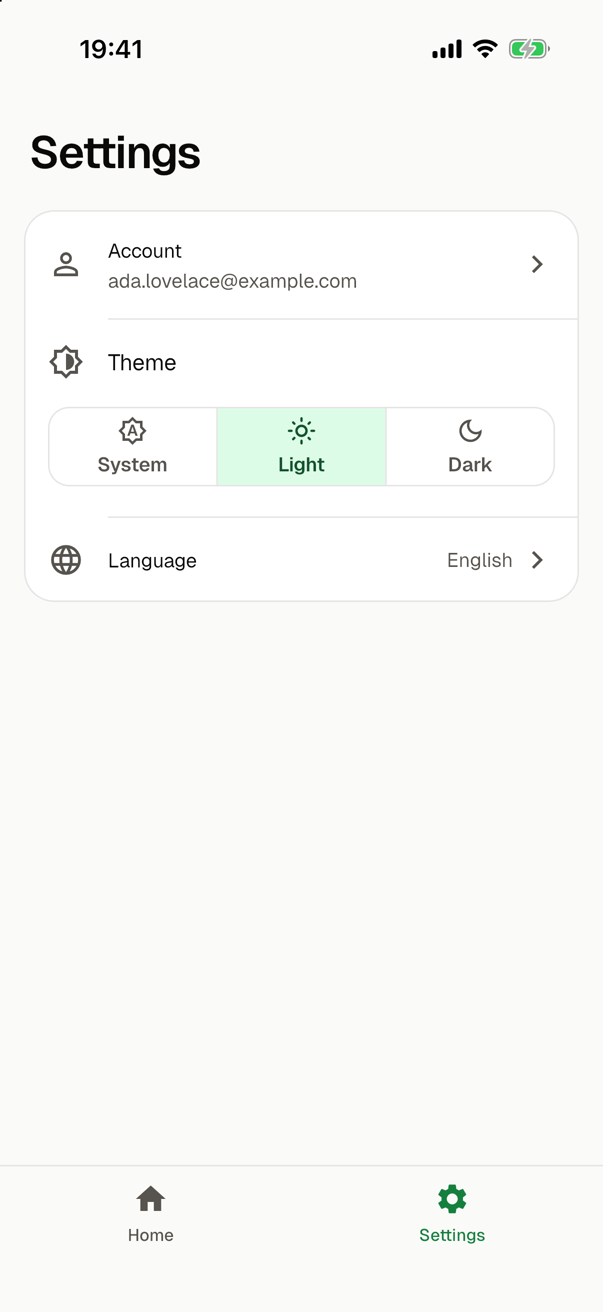
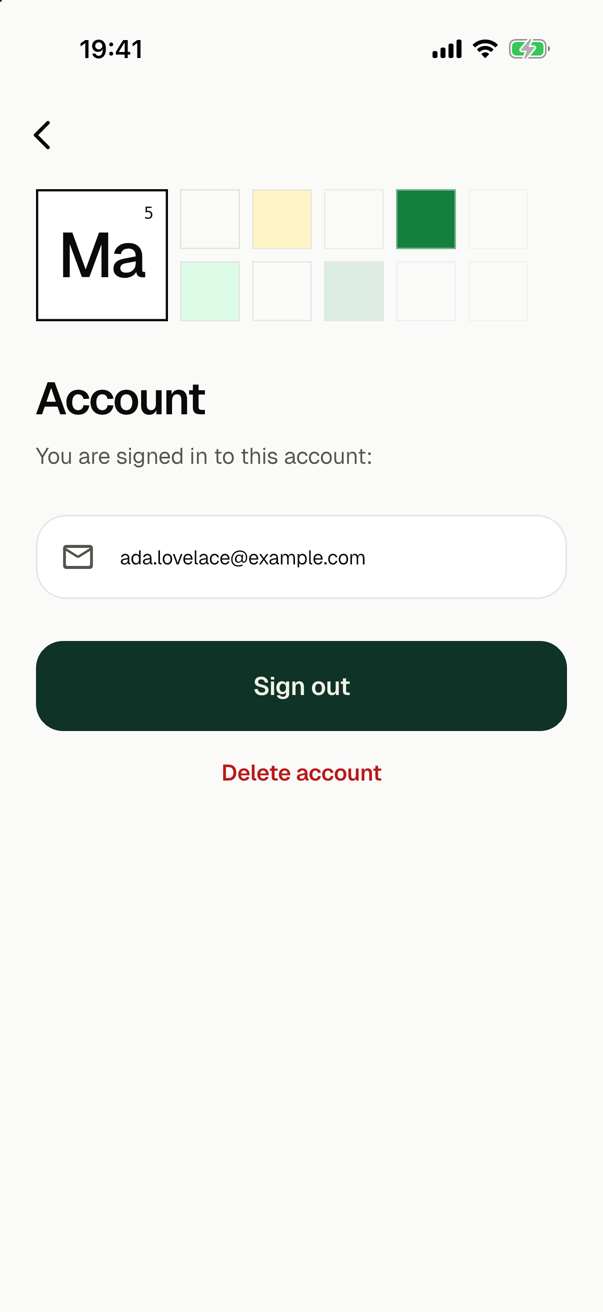
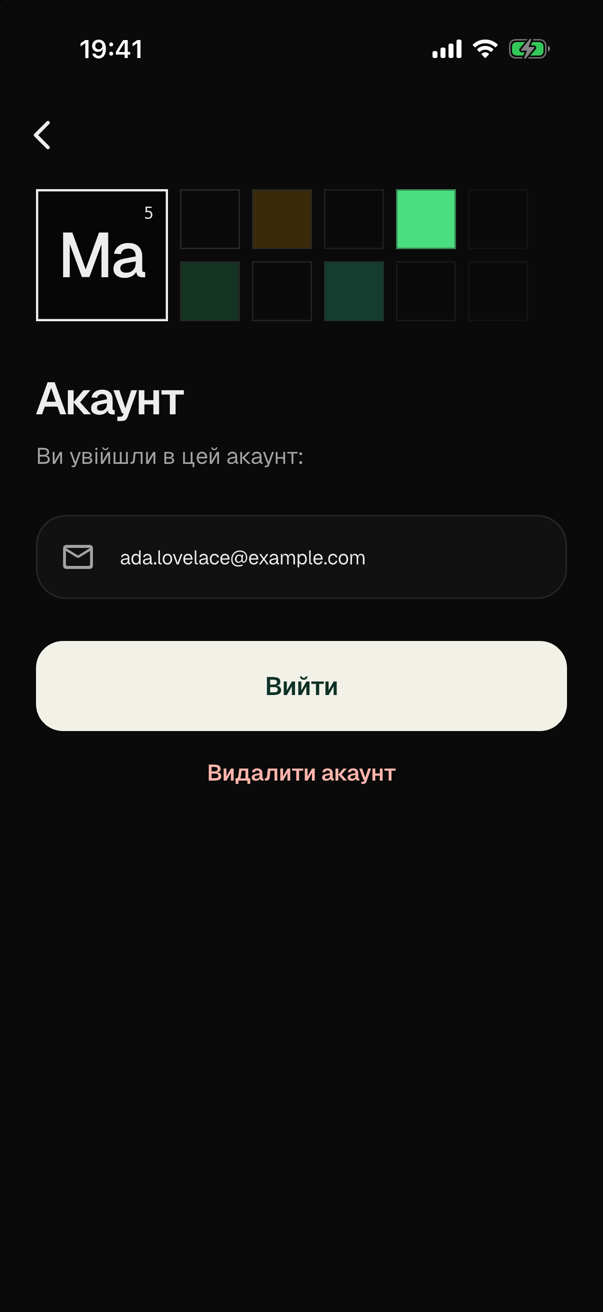
The entry is within reach where the settings screen is. With a main navigation, such as that of bottom_tabs, the settings screen is one of its destinations. In an app without one, a screen of yours opens the settings screen, or the account directly; see sign_in.
The session
appSession is the one session of the app. Its value is an AppSession, and it notifies its listeners when that changes:
appSession.value | Who uses the app |
|---|---|
SignedOutSession | Nobody that the app knows. Its uid is null. |
AnonymousSession | An anonymous user: one without an account, whom the app signed in itself. It has the uid of that user. |
AccountSession | The user of an account. It has the uid and the email of the account, which is null if the account has none. |
bootstrap() starts the session in its platform phase, with await initAuth(), so the app knows who is signed in before its first frame.
A widget of an app with sign_in reads who uses the app from the state manager, and rebuilds when the user signs in or out: context.watch<SessionCubit>().state with bloc, and ref.watch(sessionProvider) with riverpod. In an app without the module, a widget follows appSession with a ValueListenableBuilder.
Code signs in, up and out through appSession, as the state of the screens of sign_in does:
| Call | What it does |
|---|---|
appSession.signIn(email:, password:) | Signs in to the account. An anonymous user becomes the user of that account, and the data of the guest moves to it. |
appSession.signUp(email:, password:) | Creates an account and signs in to it. An anonymous user gets the account and keeps the id, so everything that the user had stays. |
appSession.sendPasswordReset(email) | Sends the message with which the owner of the account sets a new password. It completes whether the address has an account or not. |
appSession.signOut() | Signs the user out. |
appSession.deleteAccount() | Deletes the user who is signed in. The app is then without a user, as after a sign-out. |
The calls run one after another, in the order they were made, so the user of the app is the result of the call that was made last.
The code of the app creates no other AppSessionController, and it calls neither initAuth() nor createAuthService() nor appSession.start().
Failures
A call of appSession fails only with an AuthFailure, whose reason the app shows a text for. The screens of sign_in have a text for every reason, in authFailureText() of lib/features/sign_in/sign_in_widgets.dart. Code of yours catches the failure the same way:
import 'core/auth/app_session.dart';

Future<String?> signIn(String email, String password) async {
  try {
    await appSession.signIn(email: email, password: password);
    return null;
  } on AuthFailure catch (failure) {
    return switch (failure.reason) {
      AuthFailureReason.invalidCredentials => 'Wrong email or password.',
      AuthFailureReason.network => 'No connection. Try again.',
      _ => 'Sign-in is unavailable.',
    };
  }
}
app_session.dart exports AuthFailure and AuthFailureReason, so the code of the app imports that file alone.
| Reason | What happened |
|---|---|
invalidCredentials | The email address and the password match no account. A wrong password and an address without an account are this one reason, so that nobody learns from the app which addresses have an account. |
emailInUse | The email address has an account already. |
weakPassword | The provider takes no password as weak as this one. |
invalidEmail | The text is no email address. |
userDisabled | The account is disabled. |
tooManyAttempts | Too many attempts: the provider takes no more for a while. |
network | The device did not reach the provider. |
recentSignInRequired | The call needs a user who signed in a short while ago, as the deletion of an account does. Tell the user to sign out and sign in again. It is also the reason of a call for a user whose session has ended on the server, and that user is signed out on the device by then. |
notConfigured | Sign-in is not set up at the provider, such as a way to sign in that is not enabled there. This is a mistake in the setup of the app. |
unknown | Anything else. |
A failure may have a developerHint: what went wrong in the words of the provider. It is for you and not for the user, so show it in debug mode only, as the screens of sign_in do below the text of the failure. For notConfigured it explains the mistake, and for unknown it has the error.
The data of a guest
When an anonymous user signs in to an account that exists already, the user of the app changes from the guest to that account. What the app keeps under the id of the guest, such as a cart on a server, would be left behind. takeGuestData() says what moves:
Future<GiveGuestData?> takeGuestData(String guestUid) async => null;
As generated it moves nothing. Write there what the app keeps under the id of a user. This sketch moves a cart:
Future<GiveGuestData?> takeGuestData(String guestUid) async {
  final cart = await carts.read(guestUid);
  if (cart.isEmpty) return null;
  return (accountUid) => carts.add(accountUid, cart);
}
appSession.signIncalls the function before the sign-in, while the guest is still signed in and may read that data. It calls the function that it got back once the user of the account is signed in.- Only read in
takeGuestData(): the sign-in may still fail, and then the guest stays. An error thrown there fails the sign-in before it starts. - An error of the function that it returns is reported as an error of the app, and the user stays signed in.
- Call no method of
appSessionin either function. The sign-in is one of its calls, which run one after another, so the two would wait for each other. - The function is not called when a guest signs up, since the guest then keeps the id and everything under it. It is not called in an app without anonymous users either.
An app without the screens
With a module that provides the auth role and without sign_in, the app has the session and no guard that reads it. Every screen is open in every mode, required too. That includes a screen that a module made for users with an account: smf create warns of each such route when it generates the app.
The screens that sign a user in are then yours, and so are the guards. A guard of your own goes into routeGuards of lib/core/router/app_router.dart, which an app has when one of its modules declares a guard, as onboarding does. An app whose modules declare no guard has neither that list nor the code that asks it. This sketch is a gate for a sign-in screen of your own at /login, the route login.login:
  RouteGuard(
    'login.signedIn',
    allows: appSession.allowsApp,
    redirectTo: const LoginLoginLocation(),
    flow: const {'login.login'},
    resumes: false,
  ),
It comes after the gates of a first launch, such as that of the onboarding. A guard for the screens that need an account reads appSession.hasAccount and names those routes in its routes.
The README and the guide for coding agents
The auth role writes the section "Sign-in" of the README of the app: the mode of the app, what each mode means, that the mode gates nothing on its own, how to change it, and where the data of a guest moves. firebase_auth tells under "Firebase Authentication" how the sign-in methods are enabled.
The guide for coding agents of the app has the section "Authentication" for the session, and with sign_in the section "Sign-in" for the screens.
In tests
The app has one session, and who is signed in outlives a test, into the next test of the same file. So a test signs out first, or expects nothing of who is signed in.
| A test that | Does this |
|---|---|
| needs an account before the app starts | It calls appSession.signUp() before bootstrap(), without awaiting it. A call made before the first start waits for it, and the app then starts with that account. The test makes the call outside the body of a test, as in a setUpAll: made in the body of a widget test, it waits in the fake time of that body, and a start that runs in real time never completes. |
| scripts what the provider answers | It gives appSession.start() a service of its own, a class of the test that implements AuthService. |
| needs another mode | It creates an AppSessionController of its own with that mode, and disposes of it. |
| checks what the next launch finds | It runs initAuth() again, which creates the service anew, with the user who is signed in, and starts the session with it. |
| brings the user back to the app | It may go through any state of the lifecycle: the session looks only at AppLifecycleState.resumed. |
In an app with sign_in in the mode required, a test that starts the app to look at another screen sees the sign-in unless an account is signed in. The first row is how such a test gets one. sign_in has more on tests of the screens and of their state.
A test that runs bootstrap() starts the service of the provider, which needs its platform side; see firebase_auth.