Languages
An app with a module that provides the localization role shows its texts in the language of the device, or in the one that the user chose. Among the built-in modules, that is gen_l10n. Without such a module, the app shows the texts of its modules in English.
The app remembers the language that the user chose, so an app with the role always has preferences too.
| File | From | What it holds |
|---|---|---|
lib/core/l10n/app_locale.dart | the localization role | The languages of the app, and the language that the user chose. |
lib/core/l10n/language_setting.dart | the localization role, in an app with a settings screen | The entry of the settings screen in which the user chooses the language. |
lib/core/l10n/l10n.dart | the module that provides the role | context.l10n, the texts of the app in the language of a BuildContext. |
lib/l10n/app_<code>.arb | gen_l10n | The texts themselves, one file for each language. |
Texts and languages explains how the texts of the modules get there.
The languages of the app
A module gives each of its texts in English, and can give translations into other languages. smf create takes every language that a text of the app is in, with English first, and writes them into lib/core/l10n/app_locale.dart. The built-in modules have their texts in English and in Ukrainian, such as the texts of the start screen of home, the title of the settings screen and the pages of the onboarding. flutter_core, which every app has, has two such texts for its fallback start screen. So every app with gen_l10n has two languages, also an app without a feature:
const appLocales = <Locale>[Locale('en'), Locale('uk')];
With --locales en, the app has <Locale>[Locale('en')].
The app shows its texts in the language that the device prefers among them, and in the first of the list when the device asks for none of them. A text without a translation into a language of the app reads in English there, and smf create warns about it, with the module and the name of the text.
An app can be only in a language in which Flutter has the texts of its own widgets, such as the tooltip of the back button. smf create leaves any other language of a text out of the app, and warns of it unless --locales chose the languages.
On iOS, the languages of the app are also in CFBundleLocalizations of ios/Runner/Info.plist, since iOS shows an app in the languages that its bundle names.
Choosing the languages
--locales narrows the languages of the app and orders them, as in --locales uk,en. The first language is the one the app uses when the device asks for none of them. The run stops with a usage error when --locales:
- leaves out
en, since the app shows a text in English wherever it has no translation; - names a language that no text of the app is in;
- names a language in which Flutter has no texts for its own widgets;
- names a language twice;
- has an empty code, as in
en,,uk.
A language of your own goes into the app once it is generated; see Add a language.
In an app without a module that provides the localization, --locales has no effect, and smf create says so in a warning.
Reading a text
lib/core/l10n/l10n.dart gives every BuildContext the texts of the app:
import 'package:my_app/core/l10n/l10n.dart';

Text(context.l10n.cartTitle)
context.l10n has a String getter for each text of the app, in the language of the context. The context is one below the root MaterialApp, such as the context of the build of a screen. A getter is not a constant, so a widget that reads one cannot be const.
The getter of a text that a module or a role brings starts with its id, in lowerCamelCase, followed by the name of the text: the text title of the theme role is themeTitle. That keeps the texts of different owners apart, and smf create reports two texts that would still need one getter.
The texts of Flutter's own widgets follow the language too: the role gives the root MaterialApp the delegates of flutter_localizations and adds the package to the app.
The language that the user chose
lib/core/l10n/app_locale.dart also keeps the choice of the user:
appLocales | The languages of the app, as Locales. |
appLocale | The controller of the choice, the only one of the app. Its value is one of appLocales, or null while the app follows the languages of the device. choose(locale) puts the app into that language at once and saves the choice, and choose(null) follows the device again. |
AppLocaleScope | The widget around the root of the app. AppLocaleScope.of(context) returns the choice, and the widget of that context rebuilds when it changes. |
restoreAppLocale | The restorer of the choice, which the app calls before its first frame. |
await appLocale.choose(const Locale('uk'));
The root of the app rebuilds in the new language, with the texts of every screen. main() puts the scope around the root widget, and the root MaterialApp takes its locale from it:
runApp(AppLocaleScope(notifier: appLocale, child: const App()));
choose takes one of appLocales, or a locale of the language of one of them: Locale('uk', 'UA') chooses Locale('uk'). For a language that the app is not in, its future completes with an ArgumentError, and nothing changes.
The app tells its languages apart by their codes alone, so appLocales has one locale for each language. Of two locales of one language, such as Locale('pt', 'BR') and Locale('pt', 'PT'), choose takes the first, whichever of them it is given.
The choice is saved in the preferences under the key localization.locale, as the code of the language, and removed when the app follows the device again. When the app starts, the restorer takes the language that is saved. A code that is none of the languages of the app counts as nothing saved. Change the language only with choose, and write nothing under that key yourself.
The future of choose completes once the choice is saved. If the preferences fail to save it, the future completes with their error. The app is in the new language by then and stays in it while it runs, but its next launch starts with what was saved before. The same choice again saves it.
The entry on the settings screen
In an app with a settings screen, lib/core/l10n/language_setting.dart has LanguageSetting, the entry Language. It is a row with the choice of the user as its value: the language that the user chose, or System while the app follows the device.
A tap on the row opens a sheet at the bottom of the screen, over the main navigation too. The sheet has System and each language of the app, with a check mark on the chosen one. A tap on an option closes the sheet and puts the app into that language at once.
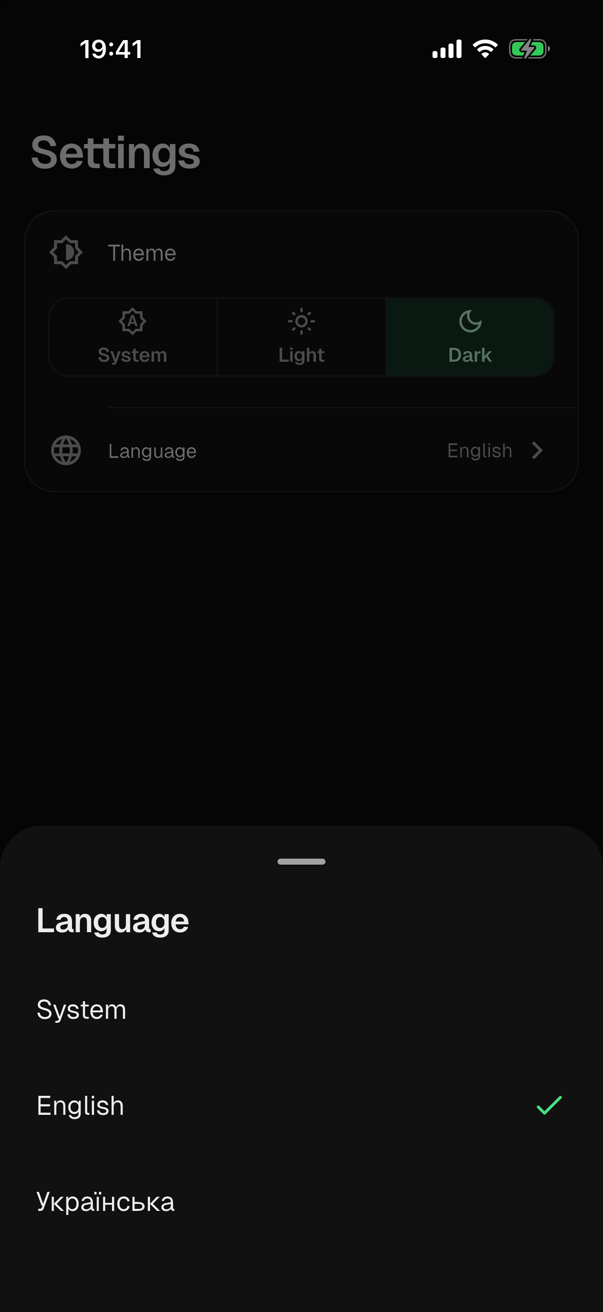
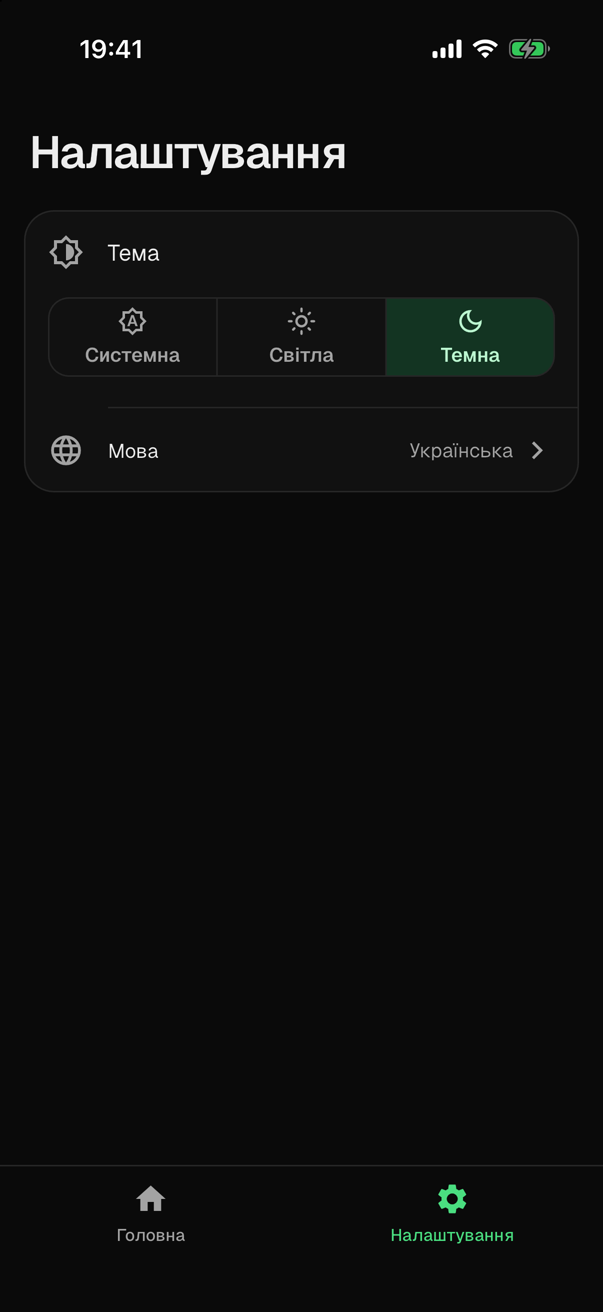
With a large text size, the choice goes below the title of the row, where it has the whole width, and the sheet scrolls when its options do not fit.
The entry shows each language by its name in that language, from _names in that file:
const _names = <String, String>{'en': 'English', 'uk': 'Українська'};
SMF has the names of English and Ukrainian. The entry shows any other language by its code, until you add its name to _names. A name there is a string literal and not a text of the app, since the name of a language in that language is the same whatever language the app is in.
The entry does not wait until a choice is saved. If the preferences fail to save it, the error reaches the handlers of the uncaught errors of the app.
Add a text
Where a text goes depends on the module that provides the localization, since that module keeps the texts. With gen_l10n, a text goes into the ARB files of lib/l10n, and flutter gen-l10n generates its getter; see gen_l10n.
Whichever module it is, read a text that a user sees through context.l10n and do not write it as a literal in a widget, so that it follows the language of the app.
Add a language
A new language goes into these places. For German:
- The texts of the app. With
gen_l10n, addlib/l10n/app_de.arbwith"@@locale": "de"and the translations, and runflutter gen-l10n. appLocalesinlib/core/l10n/app_locale.dart: addLocale('de'), one locale for the language.CFBundleLocalizationsinios/Runner/Info.plist: addde.- In an app with a settings screen,
_namesinlib/core/l10n/language_setting.dart: add'de': 'Deutsch'. Without it, the entry showsde.
Add only a language in which Flutter has the texts of its own widgets, and add its texts first: every delegate of the root MaterialApp has to support each language of appLocales. The README of the app has the same steps, in its sections "Texts" and "Languages".
In tests
A test puts the app into a language with appLocale.choose(locale) and reads the choice from appLocale.value. It shows that the choice is saved by reading localization.locale from the preferences after a choice, and that it is remembered by writing the key, running initPreferences() again and reading the choice; see Preferences and settings.
The app has one controller, and its choice outlives a test, into the next test of the same file. So a test that chooses a language ends with appLocale.choose(null), which also removes the key.