Theme
An app with a module that provides the theme role, such as material_theme, has a light and a dark theme, and a theme mode that the user selects: light, dark, or the one of the device. The app remembers the mode between its launches, so an app with the role always has preferences too.
| File | From | What to change there |
|---|---|---|
lib/core/theme/app_theme.dart | the module that provides the role | The look: the two themes of the app. |
lib/core/theme/theme_mode.dart | the theme role | Nothing. Code selects and reads the mode through it. |
lib/core/theme/theme_mode_setting.dart | the theme role, in an app with a settings screen | The entry of the settings screen that selects the mode. |
The look
lib/core/theme/app_theme.dart has two functions:
ThemeData createLightTheme(BuildContext context)
ThemeData createDarkTheme(BuildContext context)
Change the look of the app there. With material_theme, the file has the colors of both themes, their text styles, the look of their components and the family of their font, whose files are in assets/fonts/ of the app; see material_theme.
The root of the app calls both functions each time it builds, so a change of that file shows on a hot reload:
Widget build(BuildContext context) => MaterialApp.router(
title: 'My App',
theme: createLightTheme(context),
darkTheme: createDarkTheme(context),
themeMode: AppThemeModeScope.of(context),
routerConfig: appRouter.config,
builder: (context, child) => Builder(
builder: (context) => AnnotatedRegion<SystemUiOverlayStyle>(
value: SystemUiOverlayStyle(
statusBarBrightness: Theme.of(context).brightness,
statusBarIconBrightness:
Theme.of(context).brightness == Brightness.dark
? Brightness.light
: Brightness.dark,
),
child: child!,
),
),
);
Keep both functions and their parameter, and leave the theme, the darkTheme and the themeMode of the root MaterialApp as they are. The context that the functions get is the one of the root widget, above the MaterialApp, so it has neither the theme nor the localizations of the app.
In the screens, take colors and text styles from Theme.of(context) and not from constants, so that every screen follows the mode. The screens of the built-in modules do, and so does the bar of bottom_tabs: the onboarding, the start screen, the settings screen and the fallback start screen follow the mode and a look of your own. Only the card of the start screen of home keeps its colors in both themes. The icons of the status bar follow the mode too: the builder of the root asks the system for dark ones on a light theme and for light ones on a dark theme.
The mode
lib/core/theme/theme_mode.dart is the same with every module that provides the look:
appThemeMode | The controller of the mode, the only one of the app. Its value is the ThemeMode of the app: ThemeMode.system, which follows the device, until the user selects another. choose(mode) makes mode the mode of the app at once and saves it. |
AppThemeModeScope | The widget around the root of the app. AppThemeModeScope.of(context) returns the mode, and the widget of that context rebuilds when the mode changes. |
restoreAppThemeMode | The restorer of the mode, which the app calls before its first frame. |
main() puts the scope around the root widget, which is how the root follows the mode:
runApp(AppThemeModeScope(notifier: appThemeMode, child: const App()));
The mode is saved in the preferences under the key theme.mode, as the name of the ThemeMode: system, light or dark. When the app starts, the restorer takes the mode that is saved. It keeps the current mode when nothing is saved, or when what is saved is not the name of a mode. Change the mode only with choose, and write nothing under that key yourself.
The future of choose completes once the mode is saved. If the preferences fail to save it, the future completes with their error. The app is in the selected mode by then and stays in it while it runs, but its next launch has the mode that was saved before. The same choice again saves it.
How settings work follows the mode through the roles of the app.
The entry on the settings screen
In an app with a settings screen, lib/core/theme/theme_mode_setting.dart has ThemeModeSetting, the entry in which the user selects the mode. Below its title, Theme, it has three segments, System, Light and Dark, each with its icon above its name.
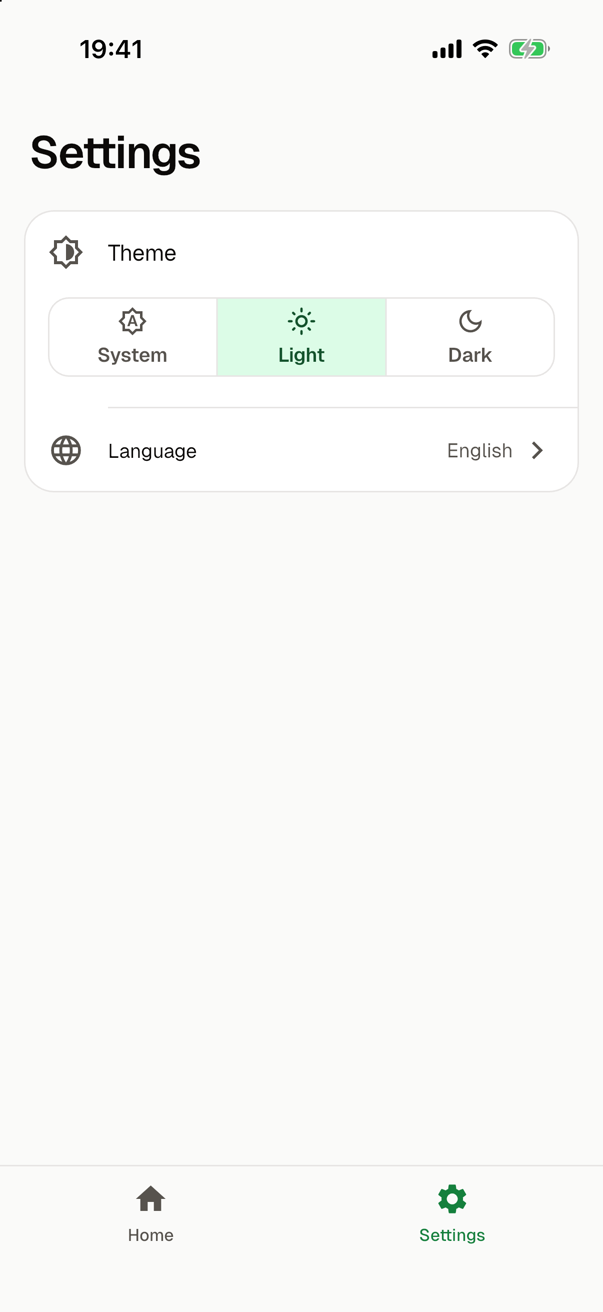
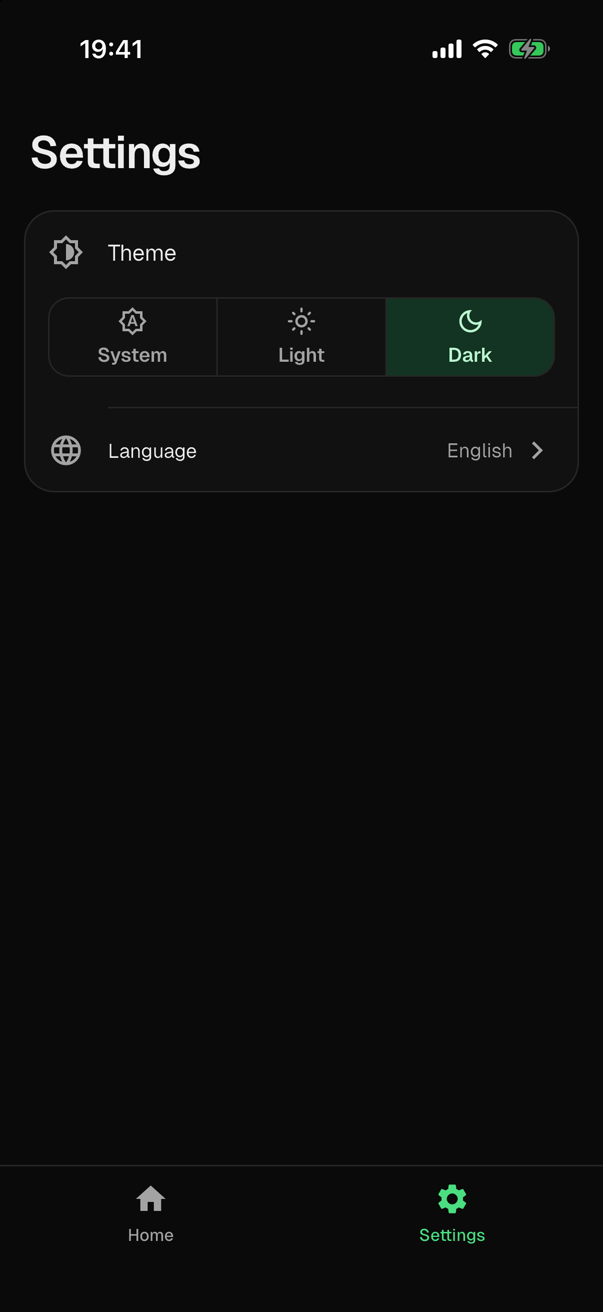
The segment of the mode of the app is the selected one, and a tap on another selects its mode at once:
              selected: {AppThemeModeScope.of(context)},
              onSelectionChanged: (modes) => appThemeMode.choose(modes.single),
The entry keeps no mode of its own, so it also shows a mode that other code chose. The segments are a SegmentedButton, which takes its look from the segmentedButtonTheme of the theme of the app.
In an app with languages, the texts of the entry are texts of the app, in English and in Ukrainian. Without them, the entry is in English. With a large text size, the names of the modes grow to at most one and a half times their size, and a name that is wider than its segment gets smaller and stays on one line.
The entry does not wait until a choice is saved. If the preferences fail to save it, the error reaches the handlers of the uncaught errors of the app.
The mode and its entry belong to the role, so they are the same with every module that provides the look. Such a module adds no entry for the mode. One with a setting of its own for its look, such as a color that the user picks, adds an entry of its own for it.
In tests
A test selects a mode with appThemeMode.choose(mode) and reads the selected one from appThemeMode.value. It shows that a mode is saved by reading theme.mode from the preferences after a choice, and that it is remembered by writing the key, running initPreferences() again and reading the mode; see Preferences and settings.
The app has one controller, and two things of it outlive a test, into the next test of the same file: its mode, and the preferences of the last start, through which choose saves from then on. So a test that selects a mode chooses ThemeMode.system again when it ends. That choice saves system, so a test that needs nothing saved removes theme.mode from the preferences.