local_notifications
| Package | Kind | Provides the role | Needs | Choose with |
|---|---|---|---|---|
smf_local_notifications | infrastructure | Notifications | preferences | -m local_notifications |
local_notifications shows the notifications of the app with the flutter_local_notifications package. A notification shows now, or at about a time to come, also when the app is closed by then. The module asks the user for the permission to show them, and tells the app of each tap on a notification, including the tap that launched the app.
The code of the app never uses the package. It uses appNotifications, which the notifications role generates; see Notifications. The role remembers that the app asked for the permission, so it needs preferences, and smf create adds shared_preferences with the module.
What it adds to the app
| In the app | What it is |
|---|---|
flutter_local_notifications: ^22.3.2 and timezone: ^0.11.0 in the dependencies | The package of the notifications, and the time zones that it schedules with. |
lib/core/notifications/local_notifications_service.dart | LocalNotificationsService, the notifications service of the app on FlutterLocalNotificationsPlugin, and openLocalNotifications(), which opens it. |
Core library desugaring in android/app/build.gradle.kts | What the package needs to build for Android. |
Two receivers and the permission RECEIVE_BOOT_COMPLETED in android/app/src/main/AndroidManifest.xml | What shows a scheduled notification at its time, also after a restart of the device. |
One line in ios/Runner/AppDelegate.swift | It makes the app delegate the delegate of the notification center of iOS. |
| The section "flutter_local_notifications" of the README | What the module set up in the native projects, how to schedule to the minute, and what the app does not set up. |
Whichever module provides it, the notifications role adds these files:
| File | What it holds |
|---|---|
lib/core/notifications/app_notifications.dart | appNotifications, through which the code of the app shows, schedules and cancels notifications, asks for the permission and reads the taps; NotificationPermission; and initNotifications(). |
lib/core/notifications/notifications_service.dart | NotificationsService, the interface that this module implements, AppNotification and NotificationTap, and the constants of the channel and of the small icon. |
android/app/src/main/res/drawable/ic_notification.xml | The small icon of a notification on Android, a bell that you replace. |
android/app/src/main/res/raw/notifications_keep.xml | Keeps that icon in a release build. |
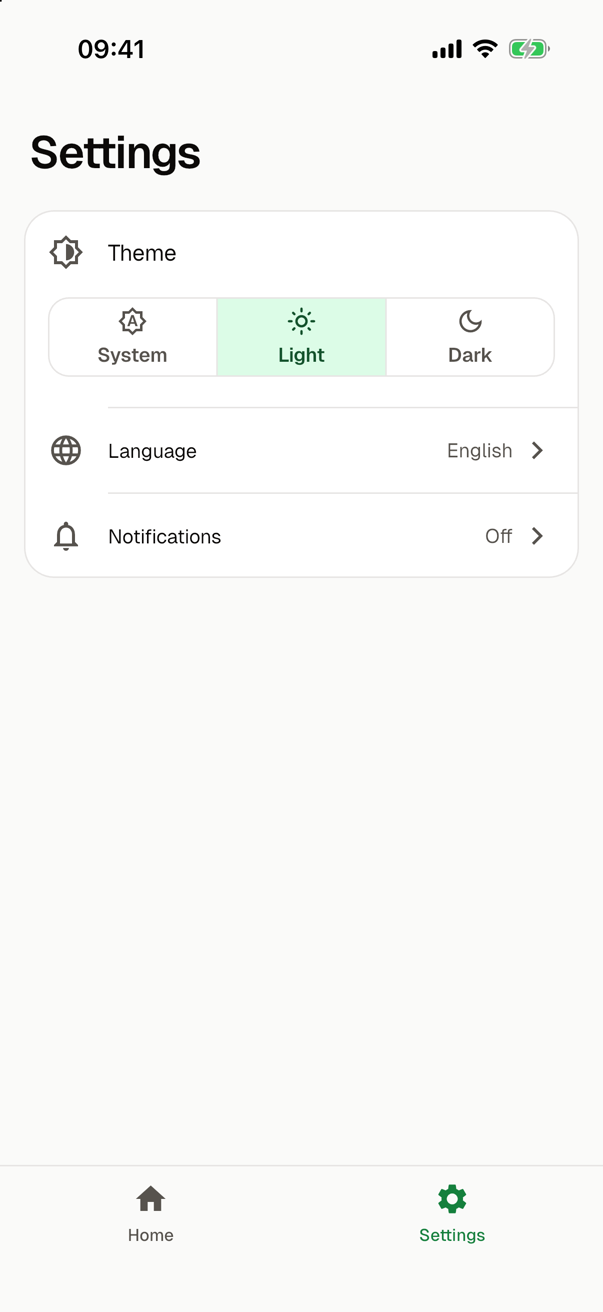
lib/core/notifications/notifications_setting.dart, in an app with a settings screen | NotificationsSetting, the row of the settings screen that shows whether the app may show notifications. A tap asks for the permission, or opens the settings of the system once the app has asked. |
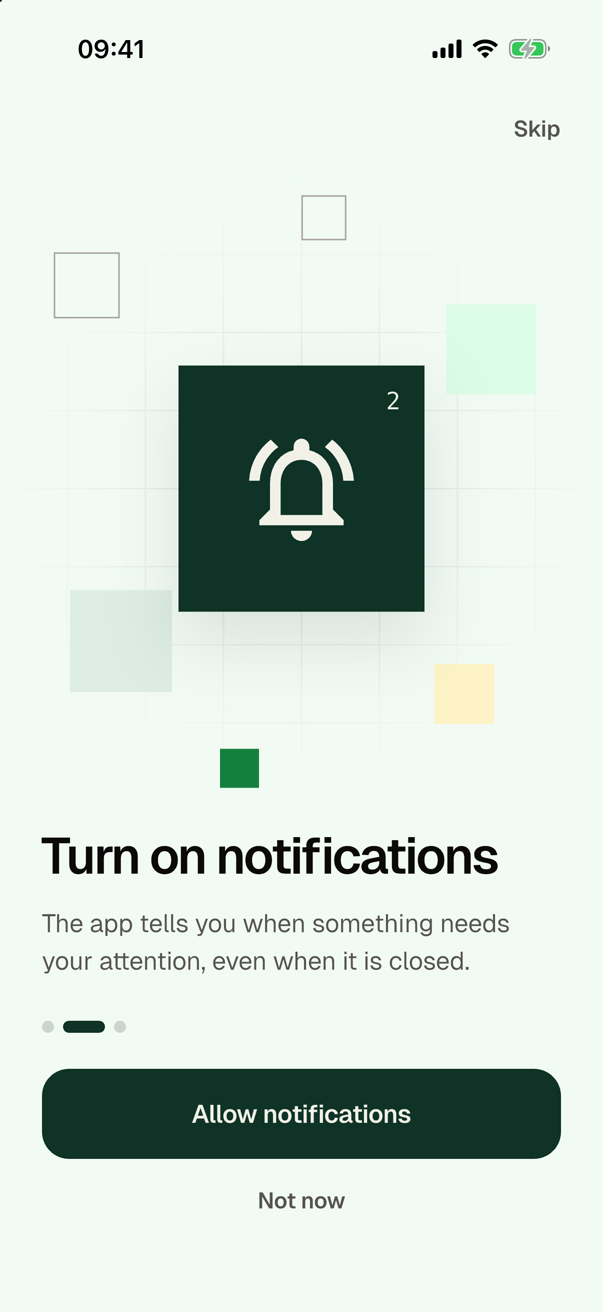
lib/core/notifications/notifications_step.dart, in an app with an onboarding | The functions of the page of the onboarding that asks for the permission. |
In its platform phase, bootstrap() opens the preferences and then the notifications. This is bootstrap() of an app with this module and shared_preferences, which comes with it:
Future<void> bootstrap() async {
  await initPreferences();
  await initNotifications();
}
initNotifications() waits for openLocalNotifications(), which sets up the plugin, creates the channel of the app on Android and reads the tap that launched the app. It asks the user nothing. So the app knows the permission and the tap that launched it before its first frame. Where the app asks for the permission depends on its other modules: on a page of the onboarding, in the row of the settings screen, or, in an app with neither, nowhere until its code calls appNotifications.request(). See the permission.
In the guide for coding agents of the app, the notifications role describes appNotifications under "Notifications". The module adds which file is on flutter_local_notifications, how to add a channel, why a scheduled notification uses an inexact alarm, which native files it set up, and what a test that runs bootstrap() answers in place of the platform side of the package. The README of the app gets the section "flutter_local_notifications" from the module and the section "Notifications" from the role.
Native setup
The package needs three things in the native projects, and the module adds them through the sockets of the app entry. Keep them: the Android build, the scheduled notifications and the taps on iOS depend on them.
For Android, the package needs core library desugaring, and the Android build fails without it. android/app/build.gradle.kts turns it on with isCoreLibraryDesugaringEnabled = true in compileOptions, and adds coreLibraryDesugaring("com.android.tools:desugar_jdk_libs:2.1.4") to the dependencies, the version that the package builds with.
The manifest declares the two receivers of the package. ScheduledNotificationReceiver shows a scheduled notification at its time. ScheduledNotificationBootReceiver sets the scheduled notifications again after a restart of the device or an update of the app:
        <receiver
            android:exported="false"
            android:name="com.dexterous.flutterlocalnotifications.ScheduledNotificationReceiver" />
        <receiver
            android:exported="false"
            android:name="com.dexterous.flutterlocalnotifications.ScheduledNotificationBootReceiver">
            <intent-filter>
                <action android:name="android.intent.action.BOOT_COMPLETED"/>
                <action android:name="android.intent.action.MY_PACKAGE_REPLACED"/>
                <action android:name="android.intent.action.QUICKBOOT_POWERON" />
                <action android:name="com.htc.intent.action.QUICKBOOT_POWERON"/>
            </intent-filter>
        </receiver>
The second receiver hears of a restart through the permission android.permission.RECEIVE_BOOT_COMPLETED, which the manifest declares too.
On iOS, the app delegate becomes the delegate of the notification center before the launch finishes. Through it, the plugin shows a notification while the app is in the foreground and hears of the taps, including the tap that launched the app:
  override func application(
    _ application: UIApplication,
    didFinishLaunchingWithOptions launchOptions: [UIApplication.LaunchOptionsKey: Any]?
  ) -> Bool {
    UNUserNotificationCenter.current().delegate = self
    return super.application(application, didFinishLaunchingWithOptions: launchOptions)
  }
The channel and the small icon
Android shows a notification only in a channel, and the user turns each channel of an app on or off in the settings of the system. Every notification of the app goes to the channel default (notificationChannelId), which the settings of the system show under the name of the app, such as My App for my_app. The service creates the channel with a high importance when the app starts. It also shows each notification with a high importance and priority, so Android shows it as a banner, also while the app is in the foreground. These details are _details in local_notifications_service.dart. Android keeps the importance of a channel from the first time the app created it.
For another channel, such as one with another sound, create it with createNotificationChannel() of AndroidFlutterLocalNotificationsPlugin in openLocalNotifications(), and show a notification in it with details of its own.
The small icon is android/app/src/main/res/drawable/ic_notification.xml, the bell of the Material Design icons. Replace the drawing with the icon of the app, a shape on a transparent background, which Android shows in one color, and keep the name of the file. The code names the icon by its name alone, so the shrinking of the resources in a release build would remove it, and the app could not show a notification. notifications_keep.xml keeps it.
Scheduled notifications
appNotifications.schedule() reaches zonedSchedule of the plugin with an inexact alarm:
Future<void> schedule(AppNotification notification, DateTime at) =>
_plugin.zonedSchedule(
id: notification.id,
title: notification.title,
body: notification.body,
scheduledDate: tz.TZDateTime.from(at, tz.UTC),
notificationDetails: _details,
androidScheduleMode: AndroidScheduleMode.inexactAllowWhileIdle,
payload: jsonEncode(notification.data),
);
An inexact alarm needs no permission, and Android may show the notification a few minutes late. The time goes to the plugin in UTC, so the app needs no database of time zones. The notification shows also when the app is closed by then, and after a restart of the device.
To show notifications to the minute:
- Declare
android.permission.SCHEDULE_EXACT_ALARMin the manifest. - Ask for it with
requestExactAlarmsPermission()ofAndroidFlutterLocalNotificationsPlugin. - Schedule with
AndroidScheduleMode.exactAllowWhileIdle.
Google Play allows exact alarms only for apps whose main feature needs them, such as an alarm clock or a calendar. That is why the app does not use them, and why the guide for coding agents tells an agent to change the mode only when asked.
What the service adds to the package
The notifications role promises more than the plugin does in a few places, and the service makes up the difference:
| What the service does | Why |
|---|---|
show() first cancels the scheduled notification with the same id, if there is one. | Android keeps the alarm of a scheduled notification when a notification with its id is shown, so the scheduled one would show again later. |
When the app may not show notifications and the system showed no question, request() opens the notification settings of the app. | Android before 13 has no question. Android 13 and later stop asking after a second no, and iOS after its one question. The plugin then answers at once, and the settings let the user turn the notifications on with one request. |
| During a request, the service watches the lifecycle of the app. A request that starts while the app is out of the foreground, such as under the control center of iOS, opens no settings. | The plugin does not tell whether the system showed its question. The question takes the app out of the foreground until the user answers, and an app that is out of it already sees no change. |
A notification carries its data in the payload of the plugin, as the JSON of a map. A tap whose payload the app did not write has no data. | The payload of the plugin is a single text. |
| On iOS, the plugin asks no question when it opens. | The plugin asks by default. The app asks where the user turns on something that notifies, through appNotifications.request(). |
On iOS, the app may show notifications while the user allows them, even with the alerts of the app turned off, since iOS then keeps them in the notification center.
The service reads the tap that launched the app when it opens, and appNotifications.launchTap has it. Each later tap reaches appNotifications.taps with the data of the notification; see Taps. A notification runs no code of the app when it shows.
What the app does not set up
The app does not set up the actions of a notification, its buttons. They need the receiver ActionBroadcastReceiver on Android, and on iOS a callback that registers the plugins for the isolate in which an action runs. The README of the package describes both.
In tests
flutter_local_notifications has no platform side for tests. A test that runs main() or bootstrap() calls AndroidFlutterLocalNotificationsPlugin.registerWith() first, since flutter test registers no implementation of the plugin for the platform. It then answers the method channel dexterous.com/flutter/local_notifications itself, with setMockMethodCallHandler of TestDefaultBinaryMessengerBinding.instance.defaultBinaryMessenger. Such a test also puts the preferences into memory; see shared_preferences. The guide for coding agents of the app says the same. A test of a screen needs none of this: it gives appNotifications.start() a service of its own, which scripts what a provider answers; see Notifications.
Whichever module provides the notifications, the permission is notAsked until the app asks, and one request turns the notifications on. A scheduled notification is listed until it is cancelled or a notification with its id is shown, and the next start of the app still finds it, and the permission that the user gave. SMF's CI checks this in running apps with the role, over a stand-in for the platform side of this module that starts as on a first launch. For this module, it checks what each call of the service sends to the plugin on Android and on iOS: the small icon, and no question on iOS, when the plugin opens; the channel of the app with its name and a high importance; the data of a notification as JSON; the cancel of a scheduled notification whose id is shown; the inexact alarm at its time in UTC; and when a request opens the settings of the system. It also checks the taps and the tap that launched the app. On devices, it checks that the channel of the app on Android has its name and a high importance. See Contributing.
Choosing it
smf create asks which module provides the notifications of the app, and offers None as well. To choose it without the question:
smf create my_app -m local_notifications
The notifications role requires preferences, and smf create adds the only module that provides them:
Adding flutter_core: the only provider of the app entry role, which every app needs.
Adding shared_preferences: the only provider of the preferences role, which local_notifications requires.
In a terminal, the question about push messages comes before this one. A provider of push messages, such as firebase_messaging, requires the notifications, so with it smf create adds this module without a question while it is the only one that provides them.