google_sign_in
| Package | Kind | Provides the role | Needs | Choose with |
|---|---|---|---|---|
smf_google_sign_in | infrastructure | none | a provider of the authentication, such as firebase_auth | -m google_sign_in |
google_sign_in lets the users of the app sign in with their Google account on Android and iOS, through the google_sign_in package. It is a way to sign in next to the email address and the password: the module asks Google for a credential, and the module that provides the authentication signs the user in with it.
The module has no screen. A screen of sign-in, such as those of sign_in, shows its button, and code of your own can use it too. Sign-in describes the ways to sign in of an app and what appSession does with their credentials.
What it adds to the app
| In the app | What it is |
|---|---|
google_sign_in: ^7.2.0 in the dependencies | The package of Google sign-in. |
lib/core/google_sign_in/google_sign_in.dart | googleCredential(), which asks Google for a credential, and GoogleSignInIcon, the icon of its button. |
lib/core/google_sign_in/assets/google_logo.png, and a file of the same name in 2.0x/ and 3.0x/ next to it | The "G" of Google, an image of 18 logical pixels, with a file for the screens with two and with three pixels for a logical pixel. pubspec.yaml declares the first one among the assets, and Flutter finds the others next to it. |
| The section "Google sign-in" of the README | What Google needs of the Google project and of the app, where google_sign_in reads the ids of the clients of Google, what to check when the button fails, and that the logo stays as it is. |
The module gives the auth role its way to sign in. Whichever module provides the role, the role lists it in appSignInMethods of lib/core/auth/sign_in_methods.dart. In an app with this module alone:
const List<SignInMethod> appSignInMethods = [
  SignInMethod(
    label: _googleSignInLabel,
    icon: method0.GoogleSignInIcon(),
    platforms: {TargetPlatform.android, TargetPlatform.iOS},
    credential: method0.googleCredential,
    issuer: 'https://accounts.google.com',
  ),
];
| The way to sign in with Google | |
|---|---|
| Label | Continue with Google, the text that the branding guidelines of Google give such a button, and Продовжити з Google in Ukrainian. In an app without a module that provides the localization, the label is in English. |
| Icon | GoogleSignInIcon, the "G" of Google in its own colors. |
| Platforms | Android and iOS. A screen of sign-in shows its button on no other. |
| Issuer | https://accounts.google.com. AccountSession.issuers names Google by it. |
| For the App Store | A login service of a third party; see the App Store. |
| What it needs of the backend | Google knows the Android app by the SHA-1 of the keys that sign it, and the app needs an iOS client and the server client of Google; see what Google needs. |
| Deleting an account | Asks Google nothing: revokesOnDeletion is false. |
In the guide for coding agents of the app, the module writes the section "Google sign-in": which file asks Google and how it starts the package, which errors become which reason, what the icon shows, and what a test replaces to sign in with Google.
Signing in with it
googleCredential() shows the sheet of Google sign-in and returns the ID token of the Google account that the user chose, as an IdTokenCredential of the issuer of Google, without a raw nonce or an authorization code. A screen of sign-in calls it as credential() of the way to sign in, from its state, and gives the credential to appSession.signInWith. Here method is the way to sign in from appSignInMethods:
final credential = await method.credential();
if (credential == null) return; // The user closed the sheet of Google.
await appSession.signInWith(credential);
Call it from the state of a screen, never within a call of appSession. An anonymous user who signs in with Google gets the identity and keeps the id, or signs in to the account that has it already; see ways to sign in.
The first call starts google_sign_in with GoogleSignIn.instance.initialize(). It does so once, and without the ids of the clients of Google, so the package reads them from the files of the app; see what Google needs.
| What Google answers | What googleCredential() does |
|---|---|
The user closed the sheet, canceled | It returns null. That is no failure: the screen goes back to how it was. |
clientConfigurationError or providerConfigurationError | It fails with notConfigured. |
unknownError with the code 28444 in its description | It fails with notConfigured. Credential Manager answers so on Android when the Google project does not know the key that signed the app. |
| Any other error, or an account without an ID token | It fails with unknown, with the error in the developerHint. |
The developerHint of notConfigured has what Google answered and names the section of the README:
AuthFailure: notConfigured (Google sign-in is not set up for the app (<what Google answered>). See the section "Google sign-in" of the README of the app.)
What Google needs
The Google project of the app has to know the app, and the app has to know the clients of Google:
| What Google needs | |
|---|---|
| Android | Google knows the app by the name of its package and the SHA-1 of each key that signs it: the debug key of each machine that builds the app, the upload key, and the app signing key of Google Play. |
| iOS | The app needs the id of its iOS client of Google, and the reversed id of that client as a URL scheme in CFBundleURLTypes of ios/Runner/Info.plist. Through it the sheet of Google returns to the app. |
| Both | Google issues the ID token to the server client, the web client of the Google project. The backend of the provider of the authentication checks the token against it. |
google_sign_in reads the ids from the files of the app: on iOS CLIENT_ID of GoogleService-Info.plist, or GIDClientID of ios/Runner/Info.plist, and on Android the string resource default_web_client_id. The module passes it none. To use ids of your own, pass them to initialize() in googleCredential().
The module states these needs to the provider of the authentication, which sets them up or tells in its section of the README how to. With firebase_auth, the script of the app does most of it. smf create offers to run it after flutterfire configure, and you can run it later:
dart tool/enable_firebase_sign_in.dart
The script enables Google in the Firebase project, with the name of the app and the email address of the account of the Firebase CLI for the consent screen of Google. For the project that firebase.json names, it also registers the SHA-1 and SHA-256 of the Android debug key of the machine that runs it, downloads the Firebase files of the app again once they have the clients of Google, and writes the URL scheme of the iOS app into ios/Runner/Info.plist.
Every machine has a debug key of its own, so run the script on each machine that builds the app for debugging. A release is signed with other keys: add the SHA-1 and SHA-256 of the upload key and of the app signing key of Google Play to the Android app in the Firebase project. firebase_auth describes the script and the command for those keys. With firebase_auth, these keys are a step by hand of the app, under "Finish the setup" of its README, and the click-by-click guide shows where to find them and where to add them.
Until Google sign-in is set up, signing in with Google fails with notConfigured. Two mistakes show differently, though:
- On iOS, the Google Sign-In SDK stops the app when the app has no iOS client of Google or not its URL scheme. google_sign_in does not catch the exception that the SDK throws then. Set both up before you try the button on iOS.
- On Android, Credential Manager may answer a key that Google does not know as if the user had closed the sheet, and the button then does nothing. Check that the SHA-1 of the key that signs the app is registered with Google.
The button
GoogleSignInIcon shows the "G" from the assets of the app, at the size of the IconTheme around it. It leaves the name of Google to the label of the button, so a screen reader does not read the image.
The image is the colored "G" of the Google Sign-In SDK for iOS 10.0.0: the files google.png, google@2x.png and google@3x.png of its resources, under the Apache License 2.0. Google and the Google "G" logo are trademarks of Google LLC. The branding guidelines of Sign in with Google ask a custom button to show that logo in its own colors, on a light background, without a change. Keep the image as it is.
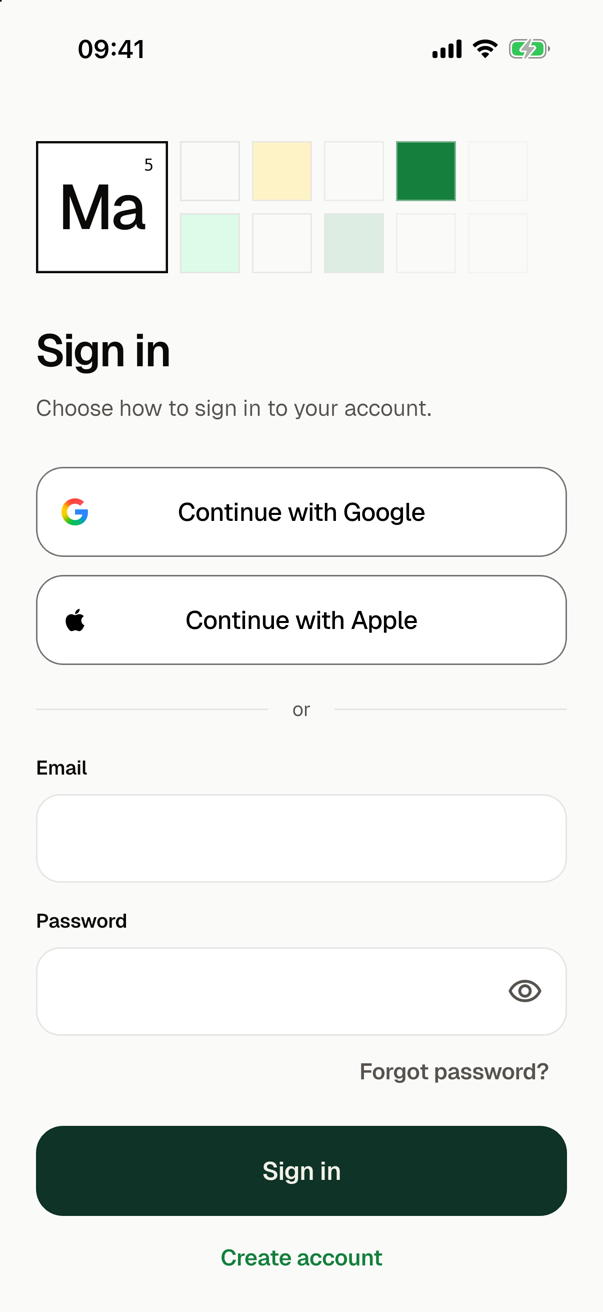
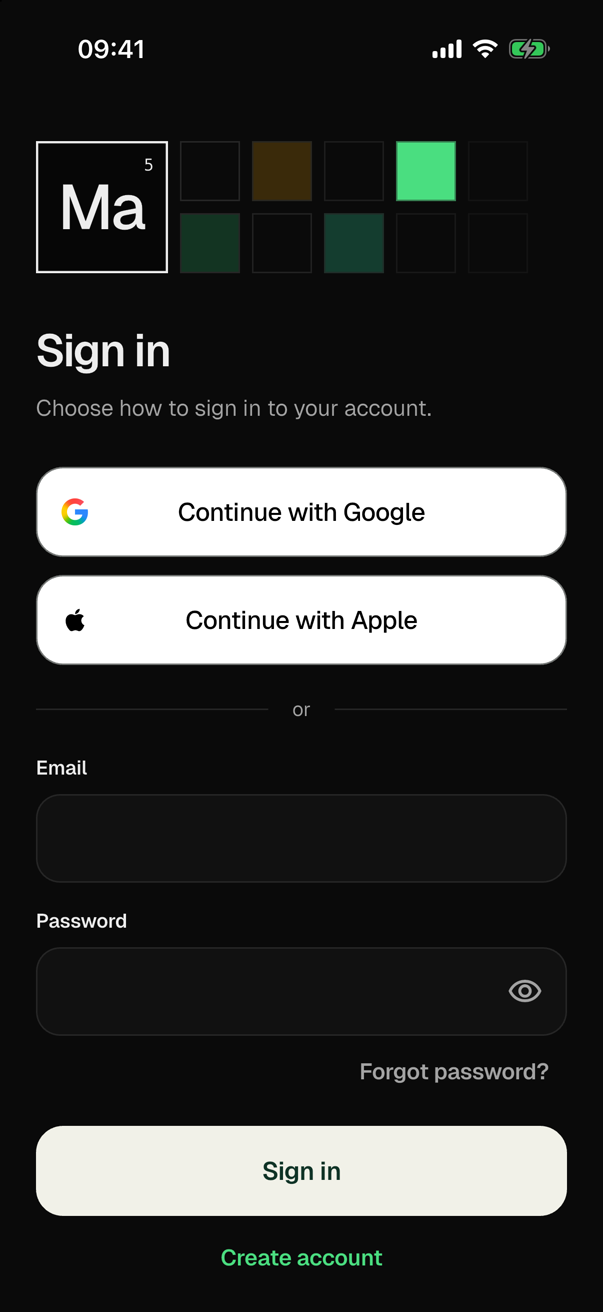
sign_in shows the button above the form of the sign-in and of the sign-up. It draws the button white with a grey hairline, with the label and the icon in black, in the light theme and in the dark one, so the "G" stays on white. The icon is 20 logical pixels and keeps that size at a large text size.
The App Store
For the App Store, Google sign-in is a login service of a third party. App Store Review Guideline 4.8 asks an app on iOS that offers one to offer an equivalent way to sign in too: one that asks for no more than the name and the email address of the user and lets the user keep the address private. Sign in with Apple is such a way, and apple_sign_in adds it:
smf create my_app -m google_sign_in,apple_sign_in
Without such a way to sign in, smf create gives the warning auth.no_equivalent_sign_in, and the section "Sign-in" of the README of the app says that the review may reject the app. With --strict, the warning stops the run with exit code 1 before anything is generated, and the run names it:
warning [role:auth] auth.no_equivalent_sign_in: The app offers Continue with Google on iOS, a login service of a third party, but no way to sign in that the App Store takes as an equivalent: one that asks for no more than the name and the email address of the user and lets the user keep the address private (App Store Review Guideline 4.8). (Add such a way to sign in on iOS, such as Sign in with Apple.)
Add apple_sign_in to -m, and the warning goes away. An app that does not go to the App Store can live with the warning: a run without --strict prints it and generates the app; see Lenient and strict.
In tests
A test that calls googleCredential(), as a tap on the button does, replaces the platform side of google_sign_in. The package asks GoogleSignInPlatform.instance of google_sign_in_platform_interface, which the app does not depend on as generated, so the test adds it as a dev dependency. Before the first call of googleCredential(), the test sets that instance to a subclass of GoogleSignInPlatform that answers init and authenticate: the app starts the package once in a test file.
SMF's CI tests the module in every app with it, in each mode of the auth role, on the real google_sign_in package over such a stand-in, which answers for one Google account. Its ID tokens are test tokens: JSON Web Tokens without a signature whose payload has the issuer of Google, the account and its email address. They have no nonce, since the app starts the package without one, and the mocks of the provider of the authentication take them.
The test checks that the package starts once and without ids, the credential, the outcome of each answer of Google, that the app lists the way to sign in on Android and iOS, and that the logo loads with its file for each density. The test of the ways to sign in of the auth role then signs in with the credential on firebase_auth. Nobody can sign in on a device, so the start check of CI has no probe for the module. See Contributing.
Choosing it
After the features, smf create asks "Infrastructure: which do you want?" and offers the module there:
google_sign_in — Google sign-in on Android and iOS with google_sign_in
The module requires sign-in, and firebase_auth is the only module that provides it, so it comes without a question, and firebase_core with it:
Adding firebase_auth: the only provider of the authentication role, which google_sign_in requires.
Adding firebase_core: a dependency of firebase_auth.
The run then asks who may use the app without an account, as for every app with sign-in. To choose the modules without the questions, here with the screens of sign-in, BLoC, tabs at the bottom and Sign in with Apple:
smf create my_app -m home,sign_in,bloc,bottom_tabs,google_sign_in,apple_sign_in
After generation, firebase_core asks whether to run flutterfire configure, and firebase_auth then asks whether to run the script that enables the ways to sign in and sets up Google; see Firebase.